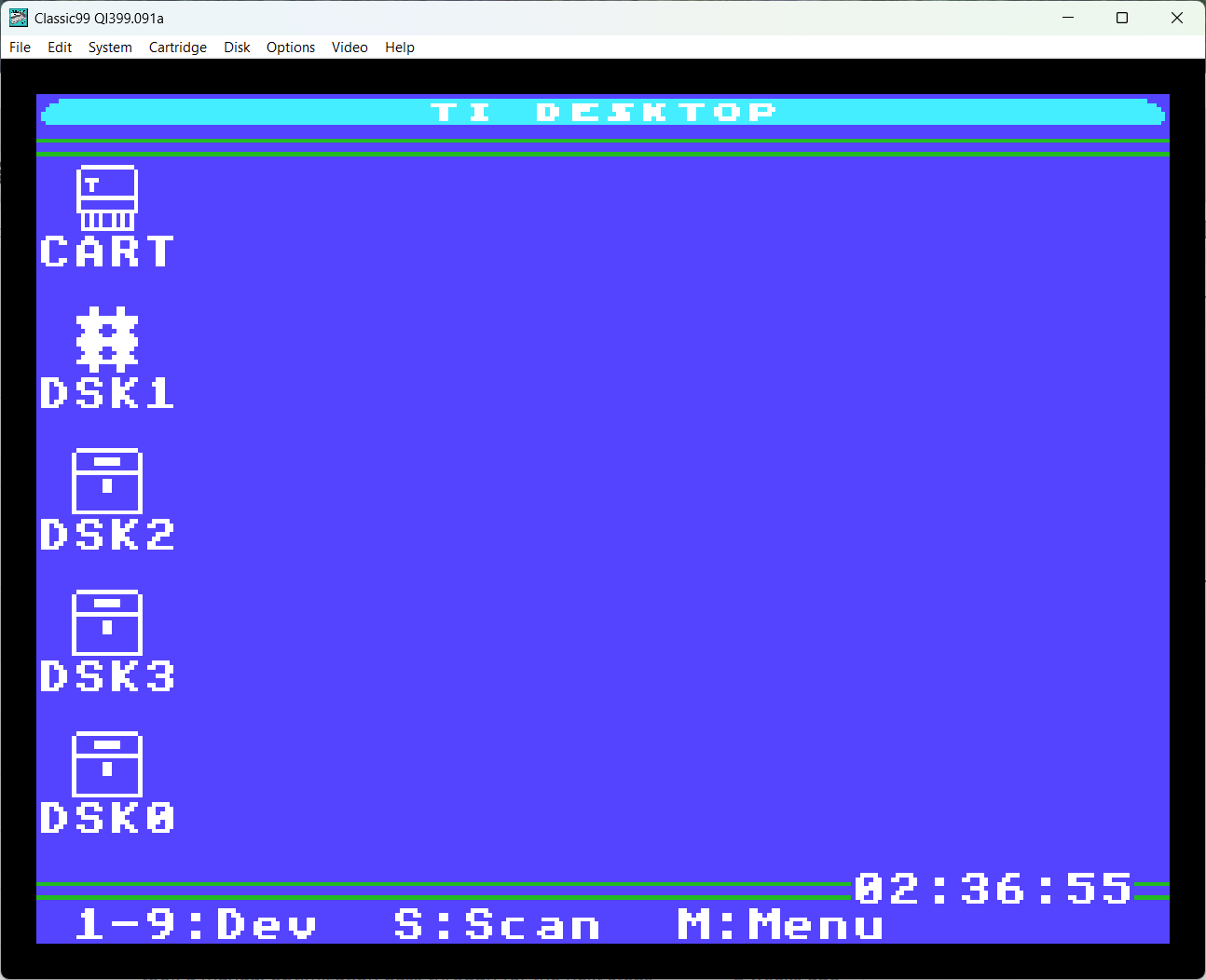
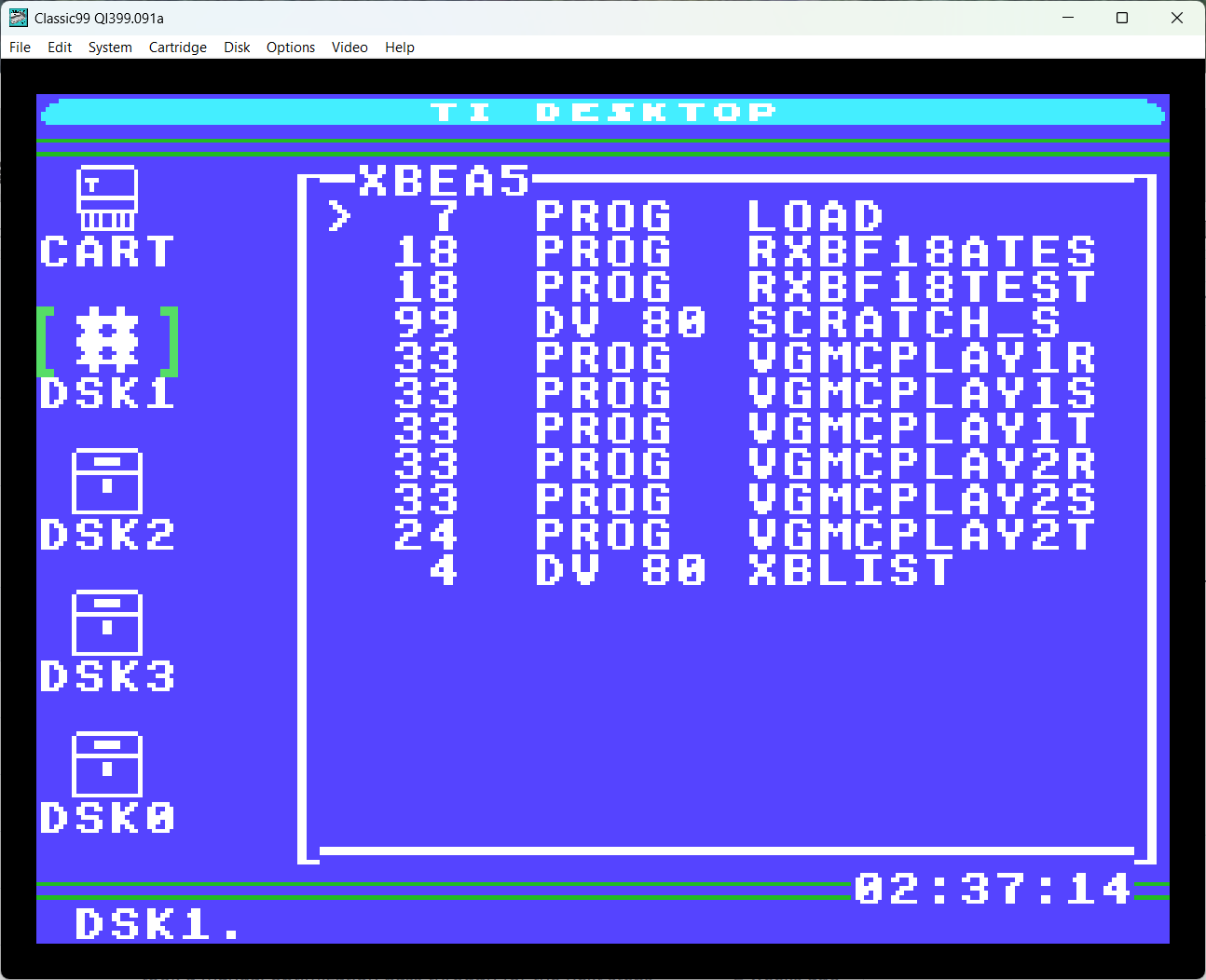
Here's my work in progress desktop app for the TI. This is one of the last pieces I was dragging my feet on for MPD, now I have to decide whether to ressurect the rest!
For now, it's keyboard interface only.
When it starts, you will get a mostly blank screen with just a cartridge icon. Arrow keys and enter will let you select the icon. The first 16 GROM bases are scanned along with ROM entries for cartridge names. Up/Down and enter to select, or BACK (Fctn9) to close the window.
On the desktop you can press 'S' to scan for devices. A list will pop up with all detected devices. Use up/down and space to select the devices you want (up to 64 are supported in the list, though not that many fit on the screen). Press enter and the selected drives will be added to the desktop.
If you have a clock device named CLOCK, you can also select that, and the time will be displayed at lower right.
With a window open, you can press Fctn-7 (tab in Classic99) to toggle back to the desktop, and open a second window. This was intended for file copy operations, but it seems likely I will run out of space in the standard 24k app for that. If I do, the second window code will come out.
You can horizontally scroll the file list left and right with the arrow keys. Moving left will reveal type and size information. The viewer will remember this position for future opens.
Long filenames are supported using the newer mechanism in Classic99 (Fixed length records). The older variable length records were really slow to page through and I think that was a mistake. I think I only inconvenienced TIPI... for now only Classic99 implements the new long filenames. I also implemented long filename support for the SBRLNK functions - and all this is in libti99. Documentation is here: https://docs.google.com/document/d/1zIMDd9gv5xTAa3ym_YcFc3FqLxDTFGIvHcY3xMVVEaw
In the file list, you may select any DISPLAY file with records up to 128 bytes and it will be displayed in a viewer. Fctn-4/Fctn-6 act as page up and page down. Note that paging up in a variable type file will be visibly slower the further down you go! You can also use Fctn-7 (tab again) to move horizontally though the file. These keys should match Editor/Assembler, Classic99 and my PS/2 keyboard.
You may also select any XB or EA#5 program (XB may also be IV254), and it will attempt to launch. XB must be in GROM Base 0, but any module is fine for EA#5 load.
You may also select the _P part of a TI Artist+ picture, and it will be displayed. Any key to return to the desktop. F18A extended images are not currently supported.
Finally, there's some configuration. If at the desktop with no icons selected, you can press 'M' for a config menu. This will let you change all the colors and the text at the top of the screen (A-Z, 0-9 only). You can also remove the clock if you previously installed it.
If you have an icon selected, pressing M lets you change that icon's image, move it up or down in the order, or remove it.
All these settings persist, but right now they persist at "DSK0.DESKTOP_PREFS". That's fine for Classic99 but might be annoying elsewhere. You can hexedit the string in DESKTOP3 if you like, for now. The future intent is for this to land in hardware.
If you have persistence on, holding space at start will skip loading the file. Be warned if you change anything it will overwrite the old file!
I think that's it for now. Future is getting the last bits in there, mouse driver support of some kind and whatever else there's room for. I don't want it to bloat forever, it doesn't need to do it all. It just needs to launch software. ;)
|